
If you are receiving an error in Outlook when trying to send mail, or connect your email, you will likely need to turn on outgoing SMTP Authentication.
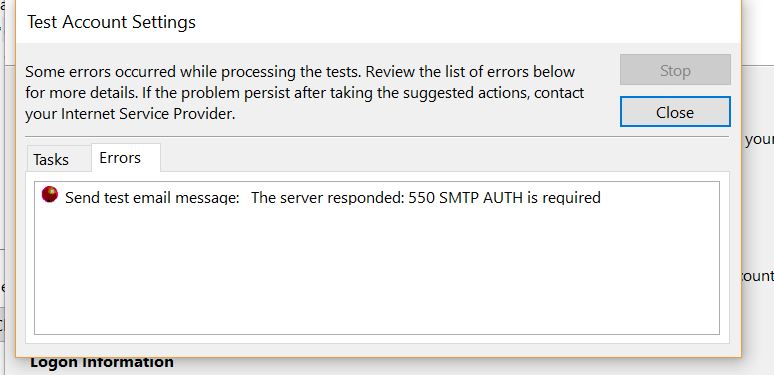
Error:
Send test email message: The server responded: 550 SMTP AUTH is required
Step 1
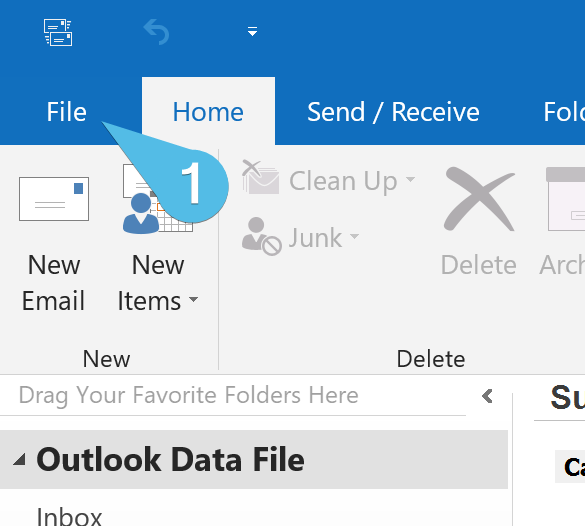
In Outlook, click File.
Step 2
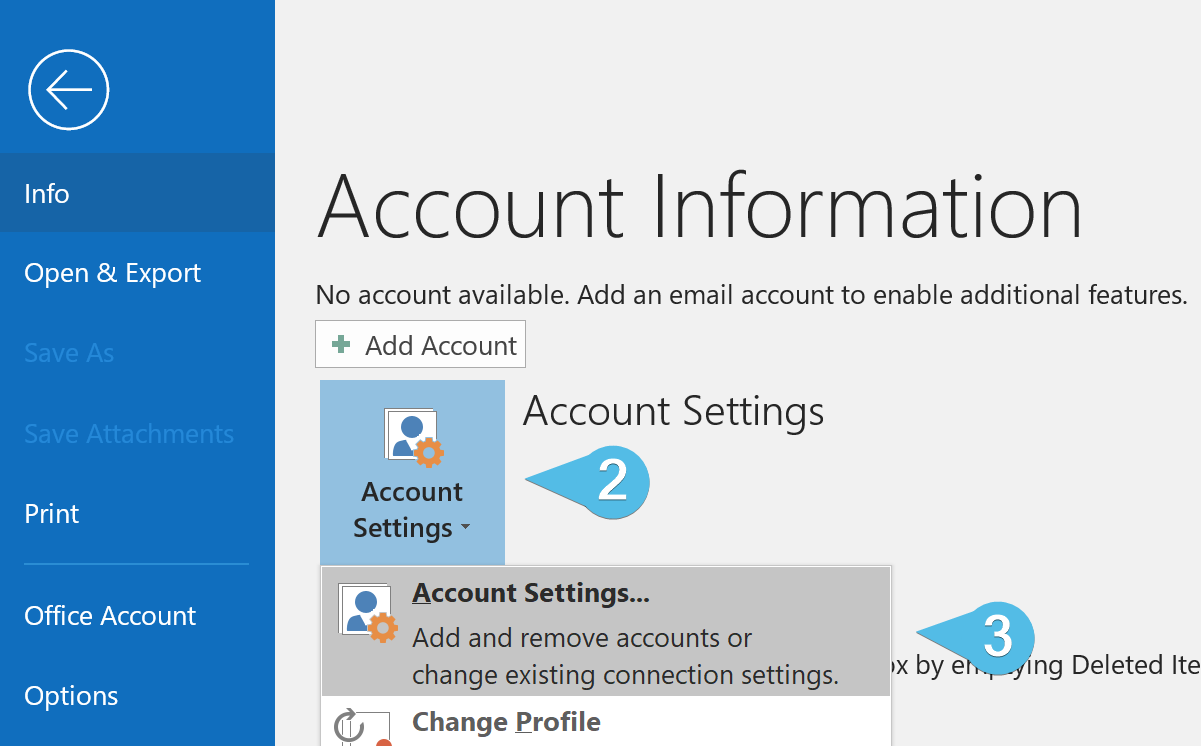
Click the Account Settings drop-down, then click Account Settings.
Step 3
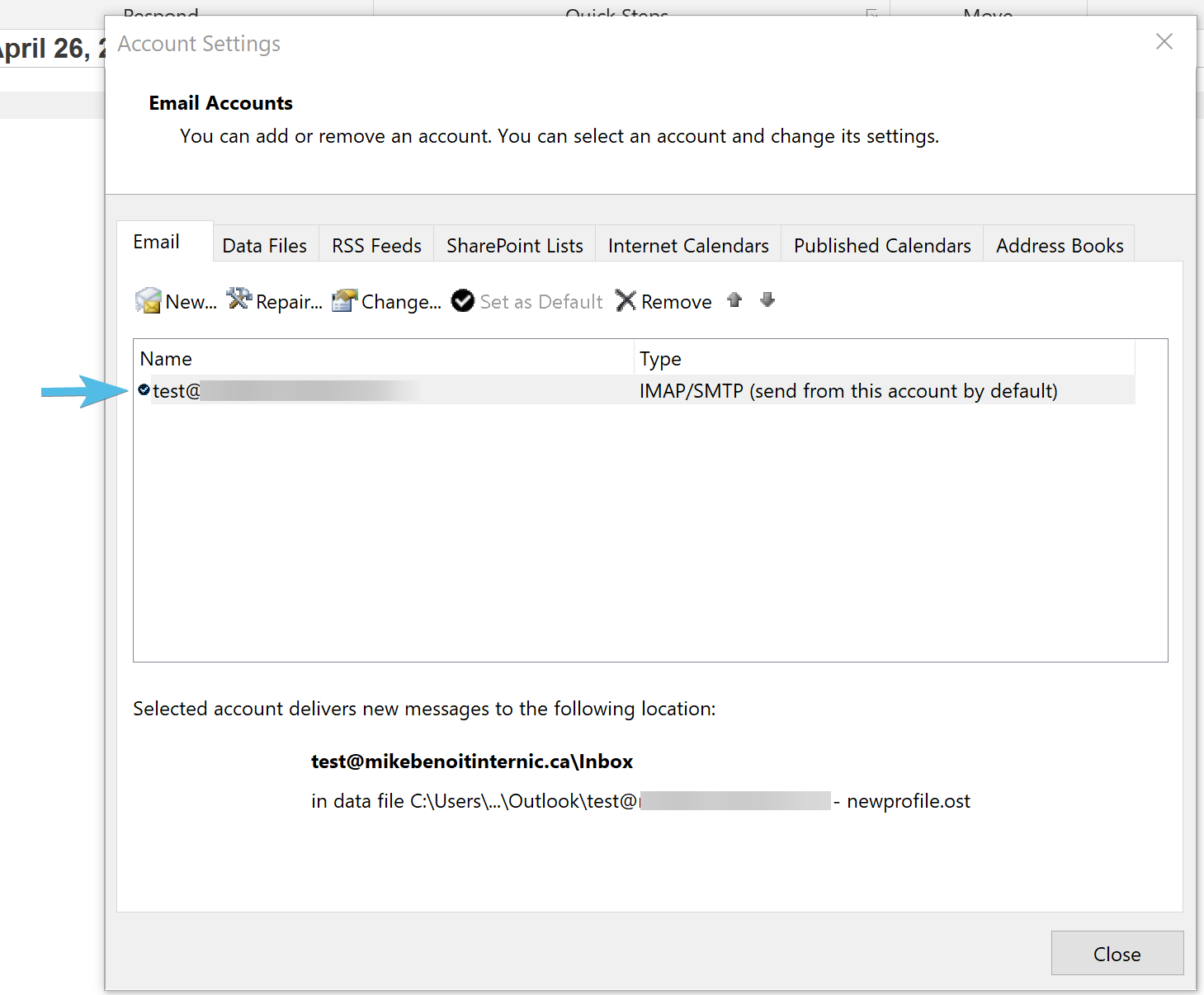
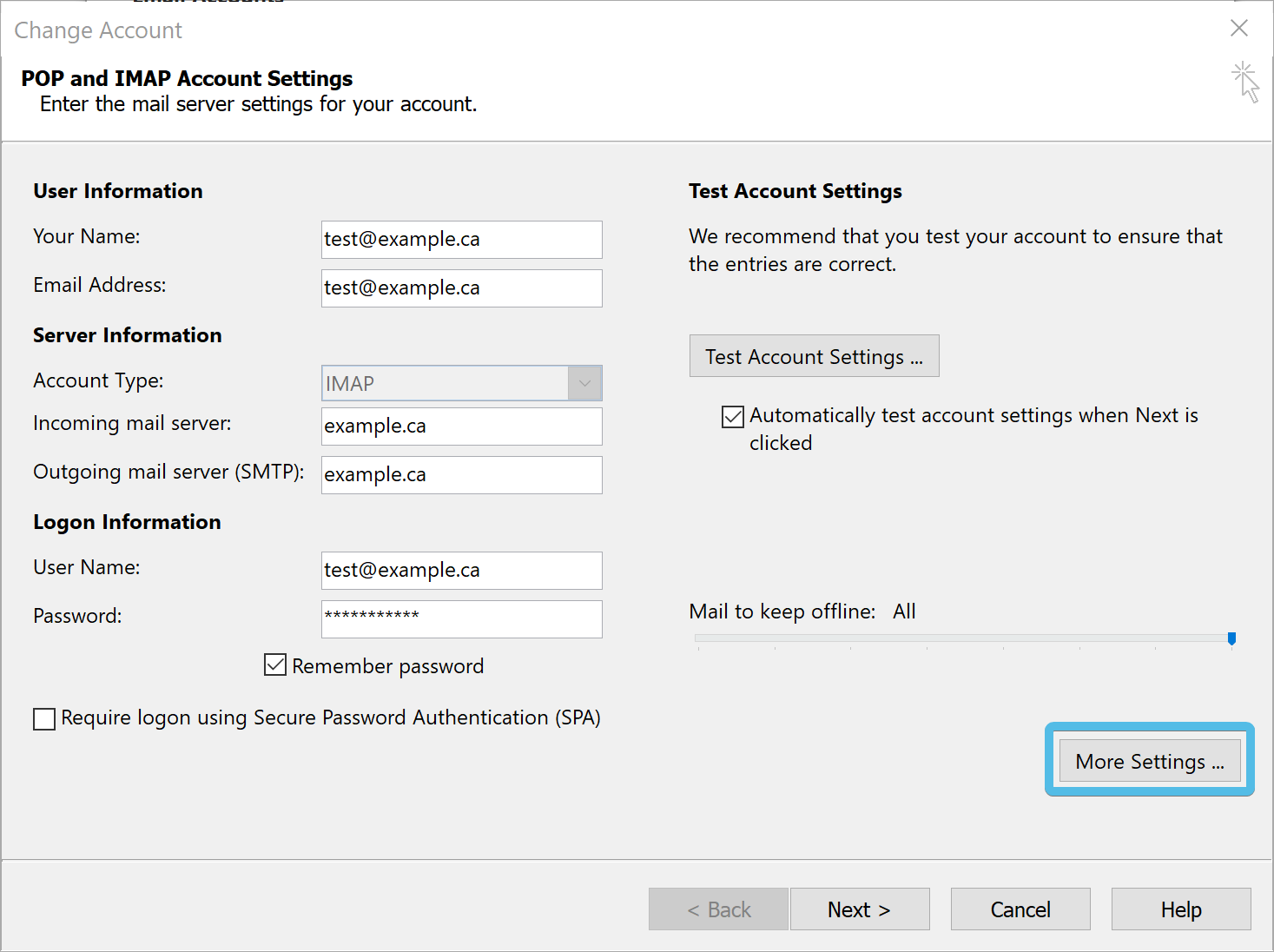
Double click the account you would like to edit.
Step 4
Click More Settings.
Step 5
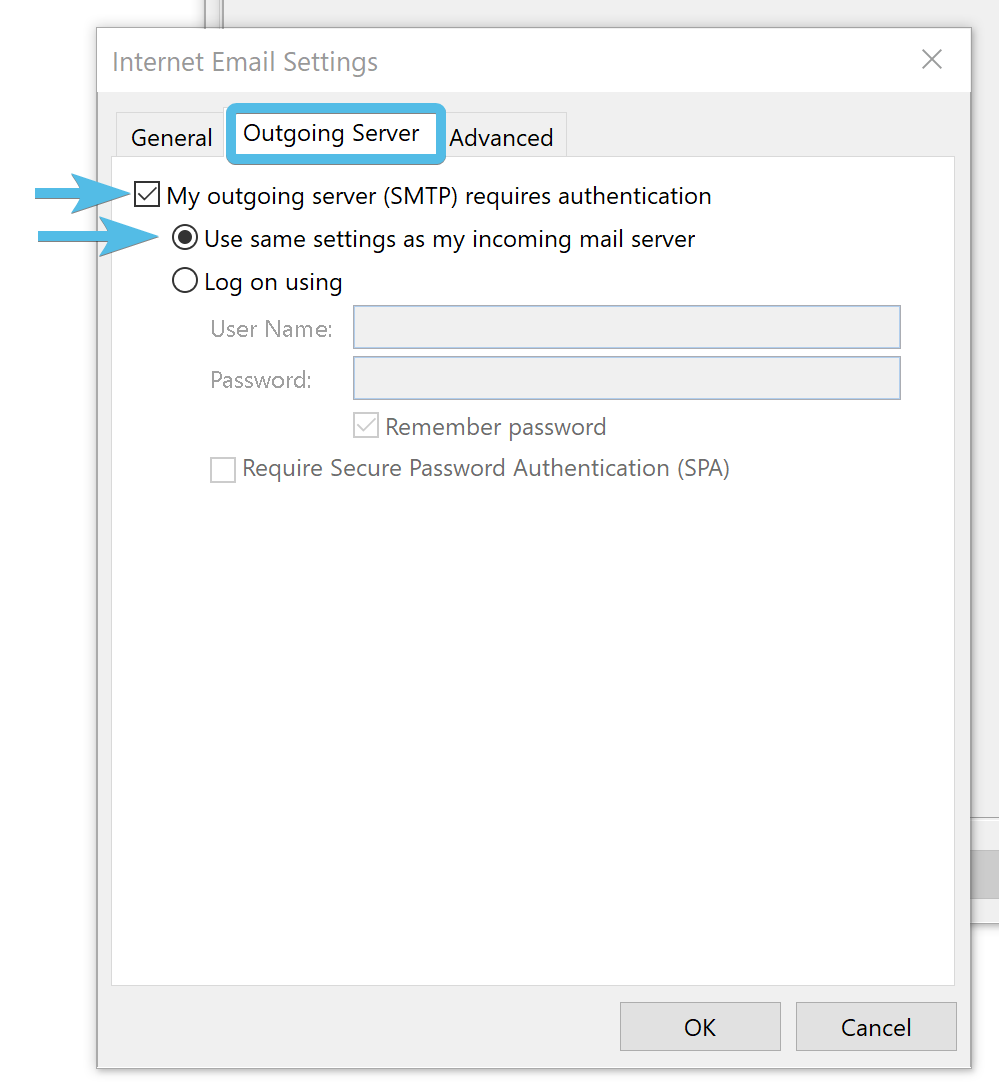
Under the Outgoing Server tab, select:
- My outgoing server (SMTP) requires authentication; and
- Use same settings as my incoming mail server
Step 6
Click OK.
Comments
0 comments
Please sign in to leave a comment.