
To update your account's login information please follow these steps:
How to change your Username:
Step 1.
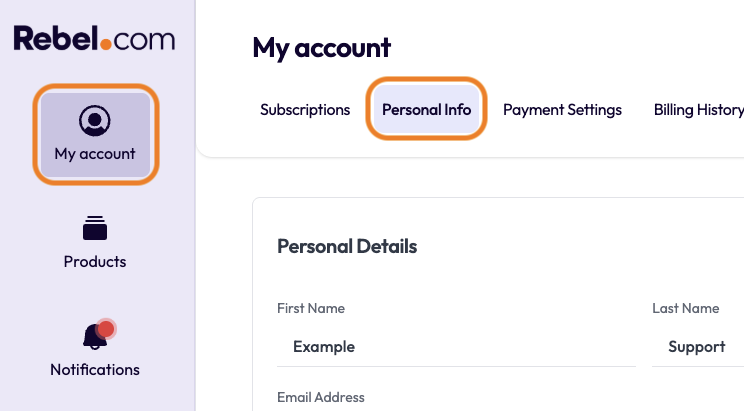
Log in to your Rebel account, then select "My Account" in the top-left corner. In the top toolbar, you will see "Personal Info”. Please select this.
Step 2.
To the right-hand side of Personal details, click the "Edit" button.
Step 3.
Here you will be able to edit your current username. Please note that it will have to be a valid and active email address. Once you update the username select "Save Changes"
How to change your password:
Step 1
Log in to your Rebel account, then select "My Account" in the top-left corner. In the top toolbar, you will see "Security”. Please select this.
Step 2
Scroll down to the bottom of the page and you will have the three fields below.
- Current Password
- New Password
- Confirm New Password
Please fill those in with the correct information, once filled you will be able select "Save Changes"
| Note: You must enter the current account password in order to save any changes. |
Comments
0 comments
Please sign in to leave a comment.